Get TheLauncher
Overview
A Cinnamon desklet that turns folders of .desktop files, documents, and subfolders into a clean, themed launcher on your desktop.
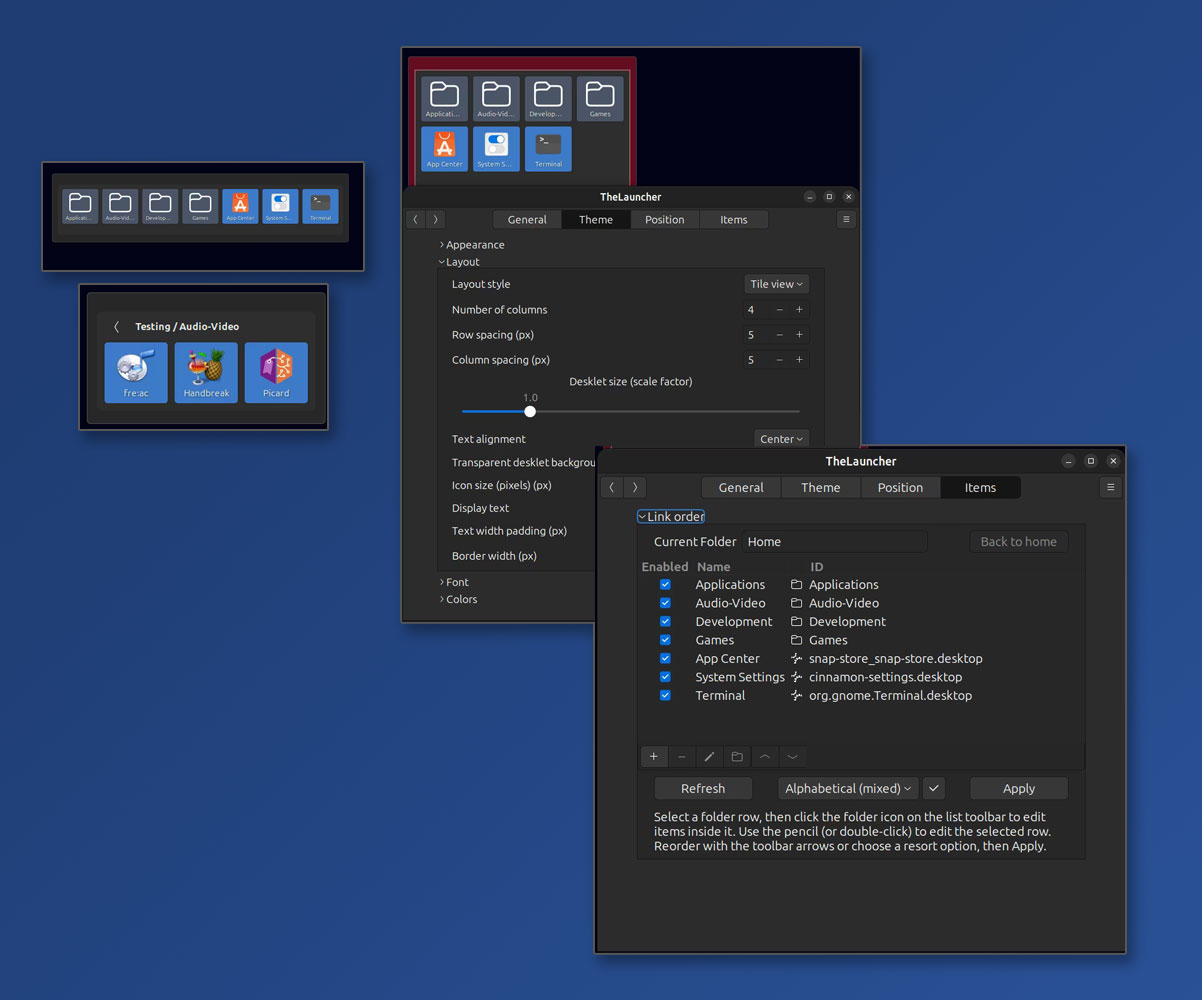


TheLauncher is a Cinnamon desklet that turns folders of .desktop files, documents, and subfolders into a clean, themed launcher on your desktop. Organize links naturally, cut desktop clutter, and open applications instantly—without digging through menus.
Current release: 1.0.0 (pre-release) — suitable for everyday use on Ubuntu 26.04; behavior may still change during Cinnamon Spices review.
What it does
- Organize your way — use real folders and subfolders; each desklet instance can have its own link directory
- Clean up the desktop — keep shortcuts in a launcher panel instead of scattered across the wallpaper
- Launch faster — one-click (or double-click) access to apps, documents, and folders
- Filesystem-driven — copy files into your link folder or add items in Configure; no brittle shortcut lists in settings
- Multiple instances, light/dark presets, placement lock, per-folder ordering, and enable/disable per item
Target platform
| Item | Value |
|---|---|
| OS | Ubuntu 26.04 LTS |
| Desktop | Cinnamon |
| Desklet UUID | thelauncher@sin-apps.com |
| Language | GJS (Cinnamon JavaScript) |
| License | MIT |
Development status
1.0.0 (pre-release) — core features complete; preparing for Cinnamon Spices submission.
| Phase | Status | Description |
|---|---|---|
| P0 — Foundation | Complete | Project scaffold, metadata, placeholder desklet loads in Cinnamon |
| P1 — Core display | Complete | Scan subdirectory, tile/list layout, launch .desktop, folder navigation |
| P2 — Input & sync | Complete | GFileMonitor, shared base directory setting, Configure Add item |
| P3 — Settings & theming | Complete | Presets, tooltips, fonts, extended color tokens |
| P3b — Placement & lock | Complete | Position X/Y, max dimensions, per-instance lock |
| P4 — Order & metadata | Complete | .thelauncher.json sidecar and reorder UI |
| P5 — Item management | Complete | Enable/disable, add/remove launchers in settings |
| P6 — Polish | Complete | Configure UX, About text, release docs, icon refresh |
Adding items
Copy files into your link directory with your file manager, or use Configure → Links → Add item. Supported item types:
| Type | On disk | Behavior |
|---|---|---|
| Application | .desktop file |
Launches the application |
| Document | Any regular file | Opens with the default application |
| Folder | Subdirectory | Navigate inside the desklet or open in file manager (setting) |
On filename conflict when adding via Configure, a numeric suffix is appended (e.g. app-1.desktop).